BlackBerry Priv App Permissions Acting Up? Fix Them Now
By Full Editorial
November 12, 2026
Field Notes
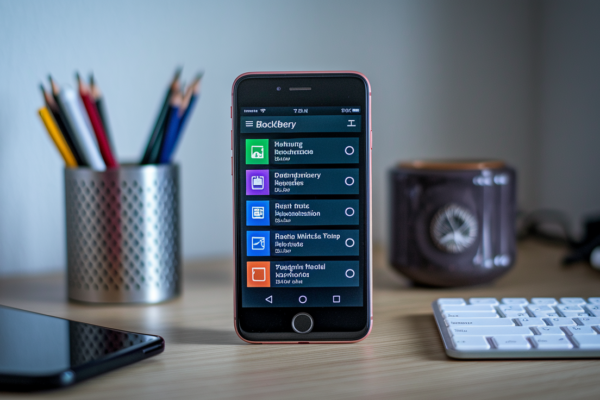
Is your BlackBerry Priv suddenly denying camera, storage, or location access even though you gave permission?
If your Priv runs Android 6.0 or later, the fastest fix is usually Settings > Apps > [App] > Permissions, flip the needed toggle, force-close the app, and retest.
If it’s on Android 5.x, the runtime toggles don’t exist, so the cause is likely app compatibility, cache, or installation problems.
This guide walks through quick repairs, how to tell a real permission block from an overlay or managed policy, and the safe next steps to try.
Quick Repair for BlackBerry Priv App Permission Failures

If your Priv’s running Android 6.0 or later, the fastest fix is usually right in front of you. Open the affected app’s permission panel, flip on whatever access it’s missing, close the app completely, and retest the exact feature that failed. If the camera wouldn’t open, open the camera. If photos wouldn’t save, try saving one. Don’t just peek at the toggle and assume it worked.
One thing worth knowing upfront, the exact menu wording shifts depending on which Android build your Priv is running. Some versions show “Apps & notifications,” others just say “Apps.” The destination’s the same either way, so don’t worry if your screen doesn’t match a screenshot exactly.
Now, the caveat that trips people up. If your Priv’s still running Android 5.x, you won’t find a standard Permissions panel with individual toggles for Camera, Storage, or Location. That granular runtime system didn’t exist yet. It arrived with Android 6.0. So if you’re digging through Settings looking for switches that aren’t there, stop looking and shift focus instead to app compatibility, pending updates, cache or data repair, and reinstallation. Those are your actual levers on 5.x.
- Restart the Priv once and retest the failed feature.
- Open Settings > Apps > [App] > Permissions, enable the necessary access on Android 6.0 or later, and retest.
- Check free space under Settings > Storage.
- Update the app through Google Play and check Settings > About phone > System updates.
- Confirm the microSD card is mounted if the failure involves files or photographs.
- Reboot into Safe Mode and test the same feature. Success in Safe Mode points to a likely conflict with a third-party overlay, security utility, antivirus app, or accessibility service.
One quick troubleshooting note. If a permission toggle looks greyed out and won’t respond to taps, that’s often a sign of a device administrator profile, enterprise policy, screen overlay, or system app restriction sitting on top of the normal controls. We’ll get into those causes shortly. For now, grab a screenshot named 01apppermissions.png showing the permission toggles, with a caption noting the exact Settings path you used to get there.
Android Permission Models Behind Priv Runtime Problems
(((alt-img2)))
To understand why one Priv shows permission toggles and another doesn’t, it helps to know a bit of device history. The BlackBerry Priv launched in November 2015 and originally shipped with Android 5.x, which mostly handled permissions at install time. You accepted a bundle of access when you installed the app, and that was that. Android 6.0 Marshmallow (API level 23) changed this by introducing runtime grants, where sensitive permissions get requested and approved individually, often the first time a feature’s actually used.
Here’s the part that catches people off guard. An app needs two things to work properly, it has to declare the permission in its manifest (basically a list of what it’s allowed to ask for), and then it needs the user’s runtime approval for that permission when required. Flipping a toggle in Settings can’t fix an app that never declared the permission in the first place, and it can’t fix an app that’s simply incompatible with whatever Android build your Priv is running. Granting access to a broken or mismatched app just confirms the app still doesn’t work.
This is also where targetSdkVersion matters. An app built for an older SDK may behave differently than one built for a newer one, especially around when and how permission prompts appear. If a prompt never shows up, or keeps looping, that’s often a compatibility signal rather than a simple settings miss.
- Android 5.x: permissions are generally accepted during installation, with no standard granular runtime panel.
- Android 6.0/API 23 and later: Camera, Location, Microphone, Contacts, and Storage can require runtime approval.
- App compatibility: target SDK level, outdated code, or a sideloaded APK can prevent a prompt from appearing or cause repeated requests.
Before going further into repairs, check Settings > About phone > Android version and jot down the build number. You’ll want that reference point for anything beyond the opening checklist.
Camera, Storage, and Location Permission Errors on the Priv
(((alt-img3)))
Once the opening checklist’s done and the problem’s still there, it’s time to match the symptom to its likely cause instead of just re-flipping toggles. The three biggest trouble spots on the Priv are Camera, Storage, and Location, usually because these features quietly depend on more than one permission or setting working together at the same time.
- A black camera preview despite Camera access can point to another app holding the camera, a damaged camera cache, app incompatibility, or a hardware fault.
- Video records without sound when Camera access works but RECORD_AUDIO or Microphone access remains unavailable.
- Photographs or files fail to save when internal space is exhausted, the microSD card is unmounted or failing, or the app can’t use the Priv’s legacy storage APIs.
- Location remains unavailable when app-level access is present but the device-wide Location service is off, the requested Fine or Coarse mode is mismatched, or location services can’t obtain a fix.
- Contacts fail to appear in BlackBerry Hub when Contacts access exists but the account’s synchronisation is disabled or stalled.
- Notifications or background location stop after the app closes when battery optimisation or background-data controls are responsible rather than the primary permission grant.
A good way to tell a denied permission apart from a secondary setting problem is to test the feature somewhere else. Does it work in a different camera or file manager app? Does it only fail after the app closes, suggesting a background restriction rather than a blocked permission? Does it fail on internal storage and the microSD card equally, which points away from the card itself and toward the app or permission?
One more thing worth clarifying. Android 10 and later introduced scoped storage, a newer way apps are supposed to handle file access. That’s not really how the Priv’s original environment was built to behave. So if a modern app expects those newer storage APIs and the Priv can’t fully support them, you may be looking at an incompatibility rather than something fixable through a toggle.
BlackBerry DTEK, Hub, Overlay, and Managed-App Conflicts
(((alt-img4)))
Final Words
Toggle the affected app’s permission panel on Android 6.0 or later and retest the exact feature — that’s the fastest fix. If you’re on Android 5.x, focus on updates, cache/data repair, and reinstallation because runtime toggles aren’t available.
We covered why toggles appear (or not), mapped camera/storage/location symptoms, checked DTEK/overlay/managed conflicts, and walked through cache clearing, preference resets, Safe Mode isolation, ADB commands, and a factory reset as last resort.
Record device and app details, follow the repair ladder, and you’ll tame most blackberry priv android app permission issues and fixes.
FAQ
Q: Is BlackBerry Priv still usable?
A: The BlackBerry Priv is still usable for basic tasks; it shipped November 2015 with Android 5.x and can run many Android apps, but expect reduced performance, fewer security updates, and occasional app compatibility issues.
Q: Can I use WhatsApp in BlackBerry Priv?
A: You can use WhatsApp on a BlackBerry Priv if the device runs a WhatsApp-supported Android version and has Google Play services; check WhatsApp’s current requirements because older Priv builds may be unsupported.
Q: What does the message “This app has not been authorized by the device owner” mean on my phone?
A: That message means the device owner or enterprise policy has blocked the app — typically a device‑admin, BES/UEM-managed restriction, or a managed profile preventing installation or runtime permission grants.
Q: Why did BlackBerry Priv fail?
A: The Priv failed commercially because it arrived into a crowded market with a high price, mixed reviews on battery and software polish, and BlackBerry soon scaled back hardware efforts, limiting updates and support.