BlackBerry Q10 10.3.3 Update: Key Security Fixes Revealed
By Aaron Watson
November 26, 2026
Field Notes
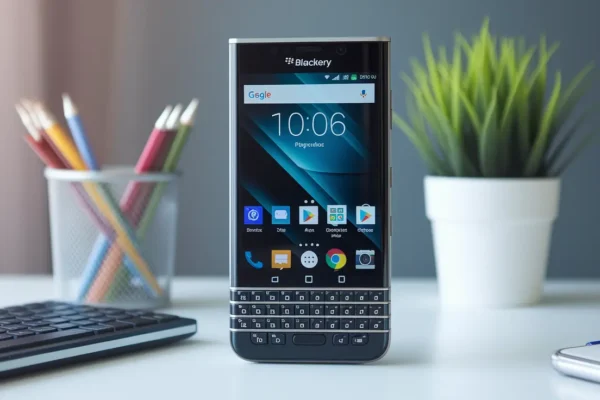
Think your BlackBerry Q10 is past its security prime? BlackBerry OS 10.3.3 (build 10.3.3.2049) reached Q10 units via staged carrier rollouts and it’s mainly a security and stability release, not a redesign. This intro lays out the confirmed fixes — NIAP (National Information Assurance Partnership) certification, new browser anti-phishing controls, and cumulative CVE (Common Vulnerabilities and Exposures) patches — versus user-reported reliability improvements, and shows what to check and do next to verify the update on your Q10.
What Changed in the BlackBerry Q10 10.3.3 Update?

BlackBerry OS 10.3.3.2049 is the confirmed build number for the 10.3.3 release that reached Q10 devices through staged carrier rollouts. This wasn’t a cosmetic redesign. It was primarily a security, assurance, and stability release aimed at tightening the platform’s defenses and ironing out lingering connectivity and sync issues reported by owners.
The short version: NIAP security certification, a hardened browser with new anti-phishing options, a new download indicator, and a wave of cumulative patches addressing network, Bluetooth, battery, and media stability. Here’s the 10.3.3 changelog, broken into what’s confirmed and what’s been reported by users.
Confirmed 10.3.3 Changes
- NIAP (National Information Assurance Partnership) security certification, a formal validation standard often required for government and enterprise deployment
- New anti-phishing controls added to the built-in browser, giving you more warning options against malicious sites
- A new download indicator in the browser and system interface, showing active download progress more clearly
- Confirmed compatibility with the BlackBerry Q10, delivered as part of a broader BlackBerry 10 device rollout
Reliability and User-Visible Improvements
- Reports of fewer intermittent mobile-network disconnects on LTE and 3G connections
- Improved Wi-Fi roaming stability when moving between access points
- More reliable VPN reconnection after a dropped session
- Better Hub synchronization and Exchange ActiveSync handling for calendar and mail
- Steadier Bluetooth pairing and audio performance, particularly with car kits and headsets
- Reduced wake-lock issues tied to battery drain, along with reports of improved camera focus and media playback stability
These reliability notes come from cumulative reports gathered across builds and carrier images. So your specific Q10 unit may see some improvements more than others.
The release also folded in broader security maintenance beyond what’s listed here, but there’s no single CVE-by-CVE changelog that applies identically to every Q10 image. Bulletin verification, CVE attribution, severity, and real-world exploitability are worth a closer look. That’s exactly what the next section walks through.
Which Security Vulnerabilities Did BlackBerry 10.3.3 Address?
(((alt-img2)))
Public summaries describe 10.3.3 as fixing a batch of vulnerabilities from the 2015 to 2016 disclosure window, sometimes phrased loosely as “dozens of CVEs.” That phrase is useful for getting a general sense of scope, but it’s not a substitute for an exact list. No source currently available supplies a complete, Q10-specific CVE enumeration.
Here’s the core issue. A general consumer-facing release report, even a well-sourced one, usually summarizes security work at a high level. It won’t tell you which CVE identifiers apply to your exact carrier image, what severity rating each one carries, or whether a working exploit exists in the wild. To act on a vulnerability claim responsibly, you need to match it against the full software release number, the specific carrier image, the affected product list, and an official bulletin with a stated remediation status.
| Claim to Verify | Required Evidence | What Can Be Concluded | Uncertainty to State |
|---|---|---|---|
| Exact CVE identifier applies to Q10 | Official bulletin naming the Q10 and the 10.3.3.2049 build | Patch status for that specific CVE, if matched | Whether the same CVE applies to other BB10 models or earlier Q10 builds |
| Bulletin matches installed build | Build number comparison between device and bulletin text | Confirmation the bulletin covers the installed software | Carrier customizations that may alter patch inclusion |
| Severity rating is accurate | Official scoring source (such as a vendor or CVSS reference) | Relative impact under defined conditions | Severity does not equal real-world risk on every device |
| Vulnerability is practically exploitable | Evidence of attack access, required interaction, and existing exploit code | Whether exploitation is realistic in typical use | Theoretical risk versus demonstrated exploitation |
| Aggregate claim of “dozens of CVEs” | Itemized bulletin list with individual identifiers | General scope of the patch cycle | No confirmation of exact count or which ones apply to Q10 |
To validate any vulnerability claim tied to your device, work through this sequence:
- Record the complete OS version and software release number shown on your device.
- Identify the Q10 model variant, carrier image, and region it was sold or flashed for.
- Locate the official bulletin that explicitly covers that release, not a general BlackBerry 10 summary.
- Check the bulletin’s affected product, severity, mitigation, and remediation fields line by line.
- Separate confirmed remediation (patched and verified) from assumed exposure or theoretical exploitability.
“Dozens of CVEs” is a useful aggregate description for understanding the general scope of a security cycle. But it’s not a replacement for verified identifiers, a matched bulletin, a stated severity rating, or actual evidence of exploitability on your specific build.
Is BlackBerry OS 10.3.3 Compatible With Every Q10 Model and Carrier?
(((alt-img3)))
The Q10, including multiple SQN100 hardware variants, was among the BlackBerry 10
In the action, BlackBerry Q10 users saw OS 10.3.3.2049 arrive as a security- and stability-first release rather than a visual revamp. It added NIAP certification, browser anti-phishing controls, a download indicator, and a set of cumulative fixes for networks, VPN, Hub sync, Bluetooth, battery wake-locks, camera, and media.
Rollouts were carrier-staged. Verify your SQN100 variant, record the build, back up, and prefer the signed OTA or BlackBerry Link.
If you follow the checklist and read the blackberry q10 security update 10.3.3 changelog, you’ll be ready to install and get a steadier Q10 experience.
FAQ
Q: What changed in the BlackBerry Q10 10.3.3 update?
A: The BlackBerry Q10 10.3.3.2049 update is primarily a security, assurance, compatibility, and stability release rather than an interface redesign (reported build and highlights in the BlackBerry 10.3.3 availability and feature report).
Q: What are the confirmed 10.3.3 changes?
A: The confirmed 10.3.3 changes include NIAP security certification, added browser anti-phishing controls, a new download indicator, and a compatible Q10 image reported as build 10.3.3.2049.
Q: What reliability and user-visible improvements does 10.3.3 include?
A: The 10.3.3 release reports improved mobile-network stability, more reliable VPN reconnection, better Hub and calendar sync, improved Bluetooth audio/pairing, reduced wake-lock battery issues, and camera/media stability—carrier images may vary.
Q: Which security vulnerabilities did BlackBerry 10.3.3 address?
A: The 10.3.3 update addressed dozens of CVEs from the 2015–2016 window, but a single definitive CVE list for every Q10 build isn’t available; exact fixes depend on build, carrier image, and bulletin matches.
Q: How do I verify specific CVE claims for 10.3.3?
A: To verify a CVE claim for 10.3.3, record the full OS/release, identify the Q10 variant and carrier image, find the official bulletin for that release, check affected-products and remediation, and separate confirmed fixes from assumptions.
Q: Is BlackBerry OS 10.3.3 compatible with every Q10 model and carrier?
A: BlackBerry OS 10.3.3 was reported for the Q10 (including SQN100 variants) but rollout was staged; availability depends on model variant, SIM/operator, and country, so not every Q10 received the same build at once.
Q: How do I update a BlackBerry Q10 to OS 10.3.3 safely?
A: To update safely, use the signed OTA via Settings > Software Updates or BlackBerry Link, back up first, free 1.5–2 GB, connect Wi‑Fi, have >50% battery or charger, expect a 300–600 MB download and 10–30 minute install.
Q: When should I use a manual autoloader instead of OTA?
A: A manual autoloader should be used only for authorised recovery: failed OTA, boot failure, corrupt OS, enterprise reprovisioning, or authorised restoration—ensure exact hardware variant, trusted provenance, and know a clean autoloader usually wipes the device.
Q: How should IT teams deploy the Q10 10.3.3 security update?
A: IT teams should validate carrier-builds, pilot 5–10 devices, run a limited rollout of 10–100 devices, test MDM/BES enrolment, Exchange ActiveSync, VPN, certificates, S/MIME, apps, and Bluetooth, then monitor logs and failures for 48–72 hours before full deployment.
Q: What known issues can appear after the Q10 10.3.3 update and first actions?
A: Post-update issues can be carrier-specific connectivity regressions, Android app failures, or Hub sync problems; first actions are confirm installation finished, check storage/power, reconnect Wi‑Fi/carrier, resync accounts, reinstall affected apps, and document the build and symptom.
Q: Can you roll back a Q10 from BlackBerry OS 10.3.3?
A: A simple in-place OTA rollback is not normally available; rollback usually requires desktop recovery or an autoloader, risks data loss, reprovisioning complications, carrier/MDM conflicts, and reintroducing fixed vulnerabilities.