
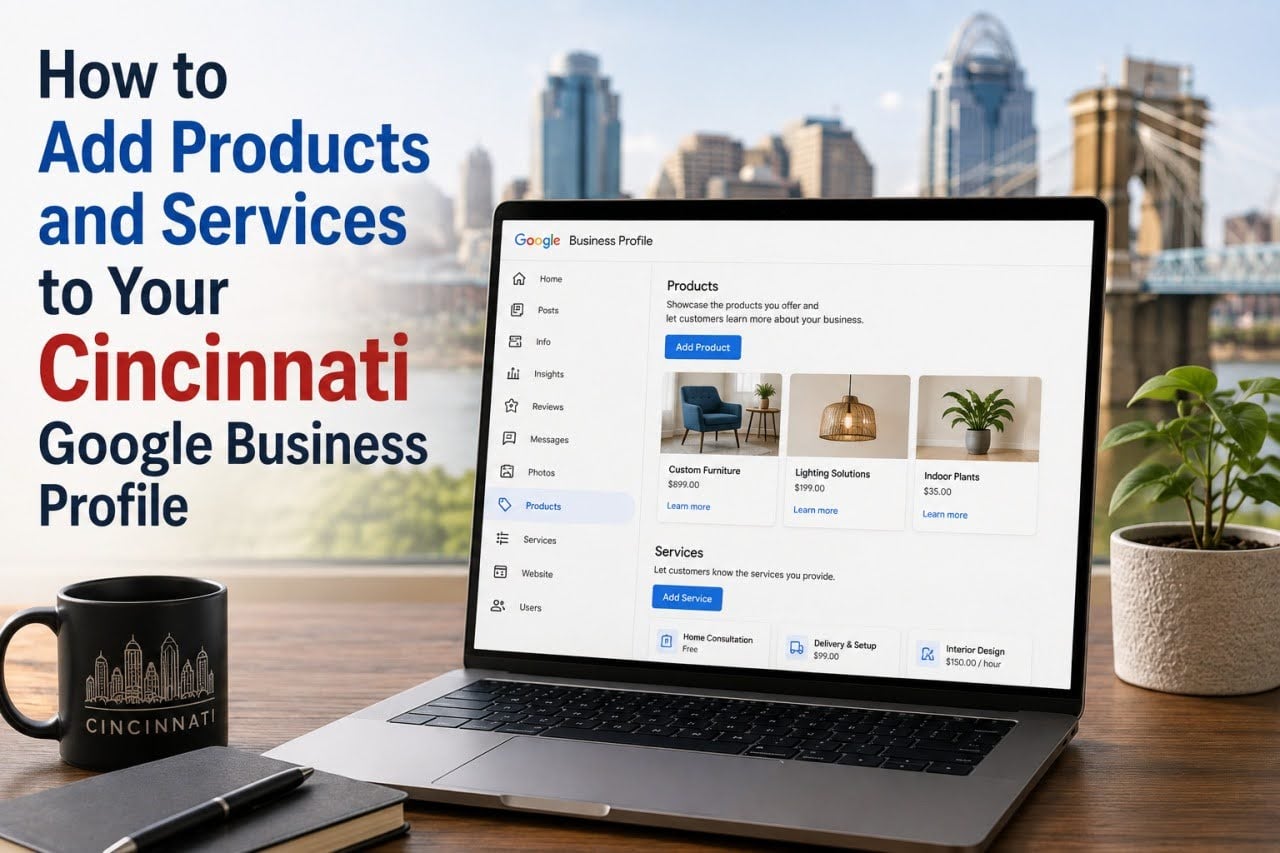
A Google Business Profile can do much more than display your company name, address, phone number, and operating hours. For Cincinnati businesses, it can also help potential customers understand exactly what you offer before they ever visit your website or contact your team.
Adding accurate products and services can make your profile more informative and help searchers determine whether your business matches their needs. For service-based companies in particular, adding services to GBP is an important part of creating a complete, customer-friendly local presence.
Here’s how Cincinnati businesses can organize and optimize their products and services effectively.
Why Products and Services Matter
People searching locally often want answers quickly. They may compare several businesses before deciding which one deserves a call, appointment, or website visit.
Clearly presenting your offerings can help potential customers understand:
- What your business provides
- Which services you specialize in
- Whether you serve their specific need
- What different service options are available
- Whether pricing information is available
The easier your profile is to understand, the easier it becomes for customers to make an informed decision.
Start With Your Primary Services
Before adding every possible offering, identify the services that matter most to your customers and your business.
For example, a Cincinnati plumbing company might highlight:
- Drain cleaning
- Water heater installation
- Leak repair
- Sewer services
- Fixture installation
- Emergency plumbing
A marketing company might include:
- Search engine optimization
- PPC management
- Local SEO
- Website design
- Content marketing
Prioritize the services customers are most likely to search for and purchase.
How to Add Services to Your Google Business Profile
The exact interface can change, but eligible businesses can generally manage their profile through Google Search or Maps while signed into the Google account associated with the business.
Look for the profile editing options and locate the section where services are managed. From there, businesses may be able to add or edit services associated with their business category.
When adding services to GBP, make sure each entry accurately represents something your company genuinely provides.
Use the Most Relevant Service Options
Depending on your business category, Google may suggest predefined services.
Review these carefully and select the ones that accurately describe your offerings. Where available, businesses may also have options to add custom services that aren’t already listed.
Avoid selecting services simply because they’re loosely related to your industry. Accuracy should always take priority over quantity.
Write Helpful Service Descriptions
Where descriptions are available, use them to explain what customers can expect.
A good service description should be:
- Clear
- Concise
- Customer-focused
- Specific
- Easy to understand
Instead of stuffing the description with keywords, explain what the service actually involves and who might need it.
Organize Services Logically
Businesses with many offerings should make their information as easy to navigate as possible.
For example, a contractor might separate services into logical categories such as:
- Commercial construction
- Renovations
- Tenant improvements
- Industrial construction
- Preconstruction services
Logical organization helps potential customers quickly locate the service they’re interested in.
Add Pricing When It Makes Sense
Depending on the available profile options and your business model, you may be able to provide pricing information.
This can work particularly well for services with predictable costs.
However, businesses offering customized services may prefer descriptions such as:
- Starting at
- Contact for pricing
- Estimate required
Never publish pricing that could mislead customers. If costs depend heavily on project scope, explaining that estimates vary may be more appropriate.
Adding Products to Your Profile
For businesses where product features are available and appropriate, products can provide another way to showcase what you sell.
Product information may include elements such as:
- Product name
- Category
- Price
- Description
- Image
Use high-quality images and accurate descriptions so customers understand exactly what they’re viewing.
Use Professional Product Images
Visual presentation matters, particularly for retail businesses.
Strong product images should be:
- Clear
- Well lit
- High resolution
- Relevant to the actual product
- Free from unnecessary visual clutter
Whenever practical, use authentic images of your products rather than generic stock photography.
Keep Your Website and GBP Consistent
Your Google Business Profile shouldn’t tell customers one thing while your website tells them another.
Service information should generally align across:
- Google Business Profile
- Website service pages
- Contact forms
- Local landing pages
- Other important business listings
Consistency creates a clearer experience for both customers and search engines.
Avoid Keyword Stuffing
Adding services isn’t an opportunity to repeat Cincinnati and your target keywords in every field.
For example, creating awkward service names solely to insert multiple locations or search terms can make your profile less useful and may conflict with Google’s content rules.
Use natural language and describe your actual services accurately.
Review Your Business Categories
Your available service options can be influenced by the categories associated with your profile.
Make sure your primary and additional categories accurately reflect what the business does.
For example, a plumbing business should select an appropriate plumbing-related category rather than choosing a broad category simply because it appears to offer more keyword opportunities.
Keep Services Updated
Your business will probably change over time.
Review your profile when you:
- Introduce a new service
- Discontinue an offering
- Change pricing
- Expand a department
- Update your business focus
- Introduce new products
Outdated information can frustrate potential customers and create unnecessary inquiries.
Think About Cincinnati Search Intent
Local customers often search with a specific problem in mind.
A homeowner might search for water heater repair rather than simply “plumber.” A business owner might look for warehouse construction instead of a general contractor.
When adding services to GBP, consider the actual problems your Cincinnati customers are trying to solve and make sure your legitimate core services are represented clearly.
Don’t Treat Services as Your Entire Local SEO Strategy
A complete services section can improve the usefulness of your profile, but it shouldn’t replace broader local optimization.
A strong local presence may also involve:
- Accurate business information
- Appropriate GBP categories
- Customer reviews
- Quality photos
- Useful website content
- Local landing pages
- Consistent business information across the web
These elements work together to create a stronger experience for local searchers.
Monitor Customer Behavior
After improving your profile, evaluate whether customers are finding and engaging with your business.
Depending on the reporting and tracking available to you, useful signals may include:
- Calls
- Website visits
- Bookings
- Form submissions
- Direction requests
- Qualified leads
Tracking actual business outcomes provides a better picture of performance than focusing solely on visibility.
FAQs
Can I add custom services to my Google Business Profile?
Depending on your business category and the profile features available, Google may provide predefined services and options for adding custom services.
Should I add every service my business could potentially perform?
No. Focus on services your company genuinely provides and wants customers to contact you about.
Should service names contain Cincinnati keywords?
Use accurate, natural service names rather than forcing location keywords into every entry. Your profile should be written primarily to help potential customers understand your business.
How often should I update my products and services?
Review them whenever your offerings, pricing, or business operations change. Periodic reviews can also help catch outdated information.
Why is adding services to GBP important?
Adding services to GBP helps potential customers quickly understand what your business offers. A detailed, accurate service section can make your profile more useful and help Cincinnati searchers decide whether your company fits their needs.
Final Thoughts
Your Google Business Profile is often one of the first places Cincinnati customers interact with your company. Giving those searchers clear, accurate information about your products and services can make it easier for them to understand your business and take the next step.
By carefully adding services to GBP, organizing offerings logically, writing useful descriptions, and keeping information current, Cincinnati businesses can create a stronger profile that serves potential customers more effectively. Combine that work with accurate categories, reviews, photos, website optimization, and consistent business information to build a more complete local search presence.